
Tycoon Casino App Download for Android (apk) and iOS (Latest Version)
The growing demand for mobile gaming has led Tycoon Casino to develop dedicated applications for both Android and iOS platforms. With support for multiple languages including English, Spanish, German, Portuguese, Russian, Polish, and Czech, the app could serve a broad global audience.
Download our App


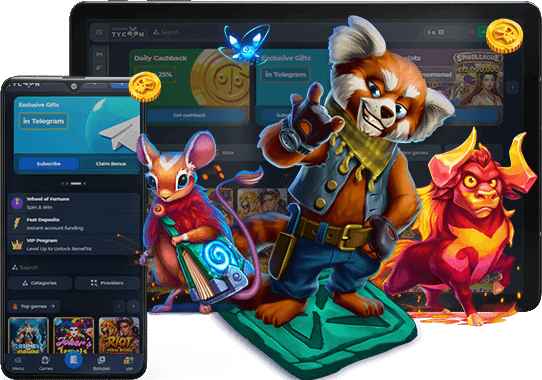

Should users choose to install the Tycoon Casino app, they would gain access to a wide selection of casino games, live dealer tables, and sports betting options from a single interface. The application receives consistent updates, and its intuitive design allows for quick navigation across all features.
What is the Tycoon Casino App?
The Tycoon Casino app is a dedicated mobile application that brings the full casino and sportsbook experience directly to a smartphone or tablet. It serves as a compact version of the platform, offering slots, table games, live dealer sessions, and sports wagering in one place.
Its popularity stems from the convenience of on the go access. Players who might not always have a desktop nearby could find the app a practical alternative, with all account functions, promotions, and payment options readily available.
The application supports both Android and iOS operating systems. Whether someone uses a Samsung phone or an iPad, the experience should remain smooth and consistent across devices.
Download App .apk for Android
The Tycoon Casino Android app delivers the complete platform experience in a compact, mobile format. Downloading the .apk file takes just a few moments, and the installation process is straightforward for anyone familiar with Android devices. Here are some of the standout features of the Android app:


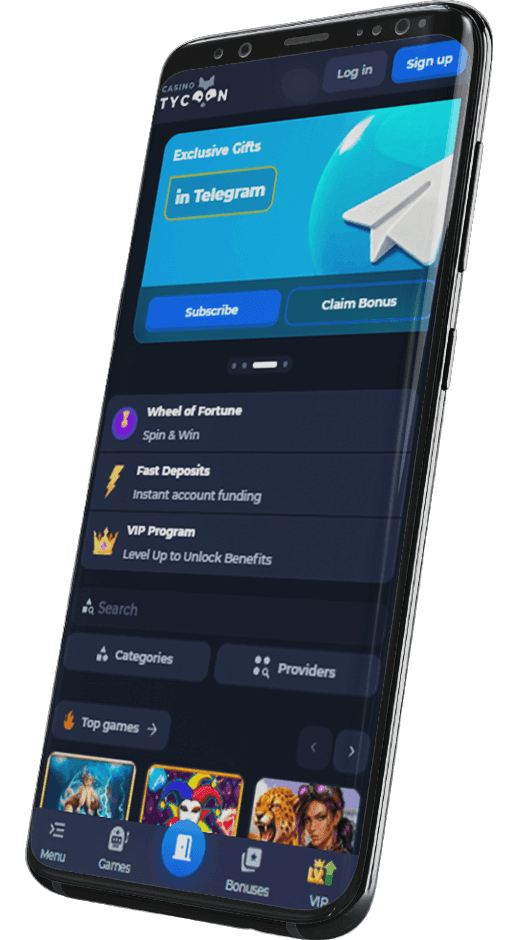
How to Download and Install Tycoon Casino app for Android (apk file)
The Tycoon Casino Android app is available through the official website and may also be found on the Google Play Store. It is strongly recommended to avoid downloading the app from unofficial third party sources, as fake copies can compromise personal data and device security.
To install the app, follow these steps:
- Go to the settings of your device. If you plan to download from the official website, navigate to the security settings and enable installation from unknown sources. This permission is necessary for .apk files obtained outside the Google Play Store.
- Find the app. Open the Tycoon Casino official website in your mobile browser or search for the app on the Google Play Store. Locate the download section on the site or the app listing in the store.
- Download Tycoon Casino APK. Tap the download button and wait for the .apk file to finish downloading. The file size is compact, so the process takes only a short time on a stable connection.
- Complete the download process and install the app. Once the file is downloaded, open it from the notification bar or your file manager. Follow the on screen prompts to complete the installation, then launch the app and log in or create an account.
Supported Android Devices
The Tycoon Casino Android app is compatible with a wide range of devices running Android 6.0 or newer. This flexibility means that both older and newer smartphones and tablets can handle the application without issues.
Not every device model appears in the compatibility table below. This is normal and should not cause concern.
If the app is compatible with your hardware and operating system version, the download and installation process will proceed without any trouble. The app automatically adjusts to your device specifications.
Download Tycoon Casino App for iOS (iPhone and iPad)
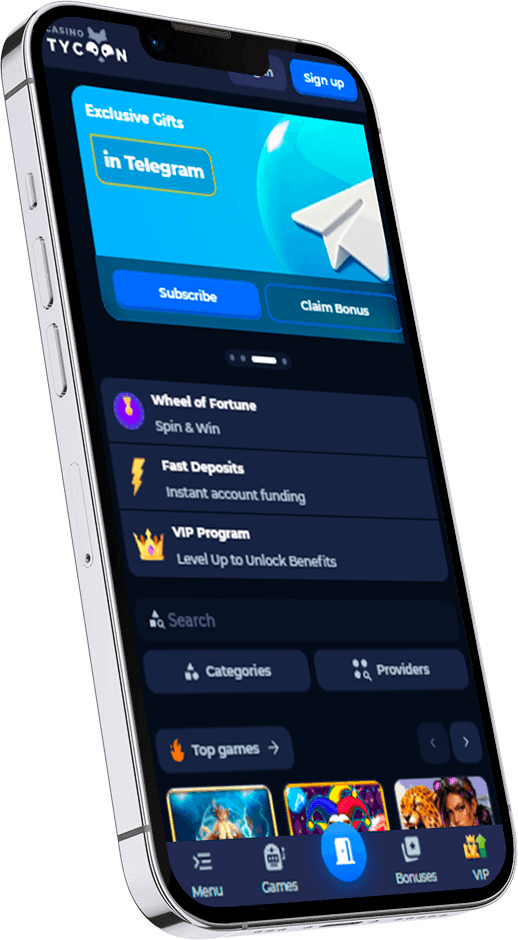
The Tycoon Casino iOS app offers a polished experience tailored for Apple devices. It mirrors the full functionality of the desktop site while taking advantage of the smooth performance that iOS provides. Key features of the iOS app include:
How to Download Tycoon Casino App for iOS Devices
The Tycoon Casino iOS app is usually available through the official website or the App Store. Users should always rely on these trusted sources to avoid counterfeit versions that may pose security risks. The app functions on both iPhones and iPads, so the experience remains consistent regardless of the Apple device in use.
Follow these steps to get the app on your iOS device:
- Download Tycoon Casino app from the site. Visit the official Tycoon Casino website using Safari or another mobile browser. Locate the iOS download link, which typically appears on the main page or in the dedicated app section. Tap the link to begin the download.
- Complete the download process. Wait for the download to finish. Depending on your internet speed, this usually takes under a minute. If a prompt appears asking for confirmation, tap "Allow" to proceed.
- Install the app. Once the download is complete, the app icon will appear on your home screen. You may need to navigate to Settings > General > Device Management and trust the developer profile before opening the app for the first time. After that, launch the app, sign in or register, and start exploring.
Supported Apple Devices
The Tycoon Casino iOS app supports a broad spectrum of Apple devices running iOS 13 or later. This usually covers iPhones from the iPhone 6s onward and iPads from the fifth generation and newer.
If your specific device model does not appear in the compatibility table, there is typically no reason for concern. As long as your device meets the minimum iOS version requirement, the app should download and install without complications.
Download Tycoon Casino App for PC (Windows and MacOS)
Tycoon Casino does not offer a standalone desktop application for Windows or MacOS. The platform is primarily designed for browser and mobile use.
However, PC users have several practical alternatives. The simplest option is to bookmark the Tycoon Casino website in your preferred browser for quick access. This approach requires no additional software and keeps the full site at your fingertips.
Another possibility is to install a mobile emulator such as BlueStacks or NoxPlayer on your desktop computer. These programs simulate an Android environment, allowing you to run the Tycoon Casino mobile app directly on your PC. The mobile app itself also remains a solid choice for those who prefer a dedicated interface.
Tycoon Casino Mobile App Main Features
The Tycoon Casino mobile app is a full featured platform that replicates the experience of the desktop and mobile browser versions. Both the iOS and Android applications include the same set of tools and functions.
This means there is no compromise when switching from a computer to a phone or tablet. Account management, game selection, promotions, and payment processing all function identically across platforms.
Users should feel confident that every feature they rely on through the browser will be accessible on the app, making it a convenient companion for those who prefer playing on the go.

Live Betting
The Tycoon Casino app provides a dedicated live betting section where users can place wagers on sporting events as they unfold in real time. Odds update continuously, reflecting the current state of each match or game.
The interface displays active events with clear market listings and quick bet placement options. Users can follow score changes, monitor stats, and adjust their selections without leaving the app. This feature makes it possible to react to the action as it happens, adding a layer of engagement that pre match options alone do not offer.

Live Streaming
Live streaming within the Tycoon Casino app allows users to watch selected sporting events directly on their mobile screens. This feature pairs well with live betting, giving users a visual feed alongside real time odds.
The streams are accessible from the event page, so there is no need for a separate app or browser tab. Video quality adapts to the available connection speed, ensuring smooth playback on both Wi Fi and mobile data. Having the match and the betting slip on the same screen simplifies the entire in play experience.

Bet Buyback
The bet buyback feature in the Tycoon Casino app gives users the option to cash out a wager before the event concludes. If a bet is heading in an unfavorable direction, the buyback function offers a partial return instead of a total loss.
This tool calculates a settlement amount based on the current probability of the outcome. Users can accept or decline the offer at their discretion. It adds a strategic dimension to the process, allowing for greater control over active bets and reducing the impact of unexpected turns in a match.

Bet Insurance
Bet insurance in the Tycoon Casino app provides a safety net for selected wagers. By activating this feature, users can protect part of their stake in case the bet does not win.
The insurance amount and conditions vary depending on the event and the odds involved. If the wager loses, the insured portion is returned to the account balance. This functionality is particularly useful for higher risk selections, where the potential for loss is greater. It encourages more considered betting while offering a layer of protection.
How to Update Tycoon Casino App to the Latest Version?
Manual updating of the Tycoon Casino app is possible, but the process can be somewhat tedious and time consuming. A simpler approach would be to enable automatic updates on your device.
Here is how to set this up:
- Access your smartphone settings. Open the main settings menu on your device.
- Navigate to app management. Find the section that controls installed applications and their permissions.
- Locate the Tycoon Casino app. Scroll through the list and select the Tycoon Casino application.
- Enable automatic updates. Toggle the setting that allows the app to update itself whenever a new version becomes available.
Running the latest version of the app is important for several reasons. Updates often include security patches, performance improvements, and new features. Outdated versions could experience compatibility issues or miss out on recently added promotions and tools.
Advantages and Disadvantages of Playing with Tycoon Casino App
Every mobile application comes with its strengths and limitations. The Tycoon Casino app is no exception, and understanding what it does well (and where it falls short compared to the browser version) can help users make an informed choice.

- Good optimization for mobile devices
- Push notifications about promotions and events
- Quick access with a single tap from the home screen
- Full feature set matching the desktop version
- Convenient account and payment management on the go

- Requires storage space on the device
- Manual update process can be inconvenient without automatic updates enabled
- Occasional compatibility issues on older devices
Tycoon Casino App Problems and Solutions
Like any mobile application, the Tycoon Casino app can occasionally encounter technical difficulties. Below is a list of the most common issues users face, along with practical recommendations for resolving them.
Slow Performance And Lagging
Sluggish performance usually indicates that the device is under heavy load or running low on resources. Start by closing other apps running in the background, as they compete for memory and processing power.
Restarting the device can also clear temporary processes that slow things down. Check the available storage space on your phone, since low storage often causes lag. Finally, make sure the Tycoon Casino app is updated to the latest version, as older versions may not run as efficiently.
App Crashes and Unresponsiveness
Frequent crashes or freezing can result from outdated software or corrupted cache data. The first step is to update the Tycoon Casino app to the newest version available.
If the problem persists, clear the app cache through your device settings. A device restart may also help resolve temporary software conflicts. As a last resort, uninstall the app entirely and redownload it from the official website or app store to ensure a clean installation.
Display Or Functionality Issues
Visual glitches or broken interface elements can stem from software mismatches. Updating the Tycoon Casino app is the first recommended action, as patches frequently address display related bugs.
Adjusting the screen resolution or display scaling in your device settings may also correct layout issues. Additionally, make sure your Android or iOS version is current. Running an outdated operating system can cause incompatibilities with newer app versions.
Login Problems
Difficulty logging into the app is often caused by incorrect credentials. Double check your username and password, paying attention to capitalization and special characters.
A weak or unstable internet connection can also prevent successful login attempts, so verify that your Wi Fi or mobile data is functioning properly. If you have forgotten your password, use the recovery option on the login screen. The system will send a reset link to your registered email address, allowing you to create new credentials and regain access.
Tycoon Casino Sports Betting App for Players
The Tycoon Casino sports betting section within the app covers a broad range of disciplines. Users can place wagers on football, basketball, tennis, cricket, ice hockey, MMA, esports, and several other sports. The selection is extensive enough to satisfy both casual fans and dedicated sports enthusiasts.
Pre match odds are available for upcoming events across all listed sports, with markets spanning match results, totals, handicaps, and specialized prop bets. The odds are competitive and update regularly to reflect the latest information.
Live betting is another core component of the sportsbook experience. Users can wager on events currently in progress, with odds shifting in real time based on the flow of the match. Combining pre match research with live adjustments gives users flexibility in how they approach each event. The app's interface presents all available markets in a clean layout, making it easy to browse between sports and switch from pre match to live sections without confusion.
Tycoon Casino Casino App for Players
The Tycoon Casino app houses a comprehensive casino section filled with games from leading software providers. The selection spans classic titles and modern releases, giving users plenty of variety regardless of their preferences.
Here are some of the main game categories:
- Roulette. The app features multiple roulette variants, including European, American, and French versions. Live dealer roulette tables are also available for those who prefer a more immersive experience with real time gameplay.
- Baccarat and other table games. Baccarat, blackjack, poker, and other card and table games are accessible in both standard and live formats. Each game comes with clear rules and adjustable stakes, catering to different experience levels.
- Jackpot and themed slots. The slot library includes hundreds of titles ranging from classic fruit machines to modern video slots with progressive jackpots. Themed games cover everything from adventure and mythology to popular culture, with varying volatility and return rates.
Tycoon Casino Mobile Payments
The Tycoon Casino app supports a wide range of payment categories to accommodate users worldwide. Deposits and withdrawals can be made using bank cards, e wallets, direct banking services, and various cryptocurrencies.
The minimum deposit starts at just 1 USD or EUR, making the platform accessible to users at all levels. The minimum withdrawal amount is set at 30 USD or EUR. Withdrawal requests are processed within a timeframe that ranges from several minutes up to 24 hours from the moment of submission.
Daily, weekly, and monthly withdrawal limits apply to standard accounts. VIP players receive individually tailored limits based on their activity and status.
KYC verification may be required before processing withdrawals, particularly for larger amounts. The procedure involves submitting identification documents through the app, and the review process is typically completed promptly by the support team.
Tycoon Casino Customer Support
The Tycoon Casino app includes direct access to customer support, available around the clock. Users can reach the team through the live chat feature built into the app or by sending an email to [email protected].
Live chat is the quickest channel for resolving urgent questions, while email works well for more detailed inquiries. The app also contains an FAQ section where users can find answers to common questions about account management, payments, player bonuses, and technical issues. Checking the FAQ before contacting support can often save time.
FAQ
The Tycoon Casino mobile app employs encryption protocols to protect user data and financial transactions. As long as the app is downloaded from the official website or an authorized app store, users can trust that their personal information remains secure. Regular updates also address potential vulnerabilities, keeping the security framework current.
If the Tycoon Casino app refuses to install, start by checking whether your device meets the minimum system requirements. For Android, the operating system should be version 6.0 or higher, while iOS users need version 13 or later. Also ensure that you have enough storage space available and that installation from unknown sources is enabled if downloading the .apk file from the website.
The Tycoon Casino app is completely free to download on both Android and iOS platforms. There are no hidden charges associated with the installation process. Users simply need to visit the official website or the relevant app store, download the file, and install it on their device without any cost.
The Tycoon Casino mobile app is open to users who meet the platform's age and registration requirements. Players need to be of legal age in their jurisdiction and must complete the registration process, which includes providing valid personal details. Once the account is set up and verified, all app features become fully accessible.